
Officeworks Track & Trace
UX Case Study
Project Overview
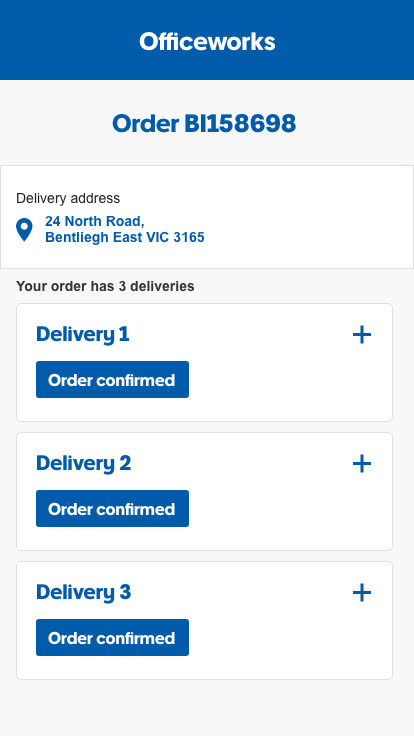
The goal of the project was to update the online order track and trace experience to display the most important bits of information around delivery/collection dates and times. The information displayed had to be accurate, up-to-date and easy to follow for the end user. The project also covers both the responsive web experience and the Officeworks™ native app.
My Contribution
I was the only designer on the project, so everything you see I created myself. I was involved in everything from defining the brand and personas and creating flows and wireframes all the way to creating final UI designs.
Starting With The Basics
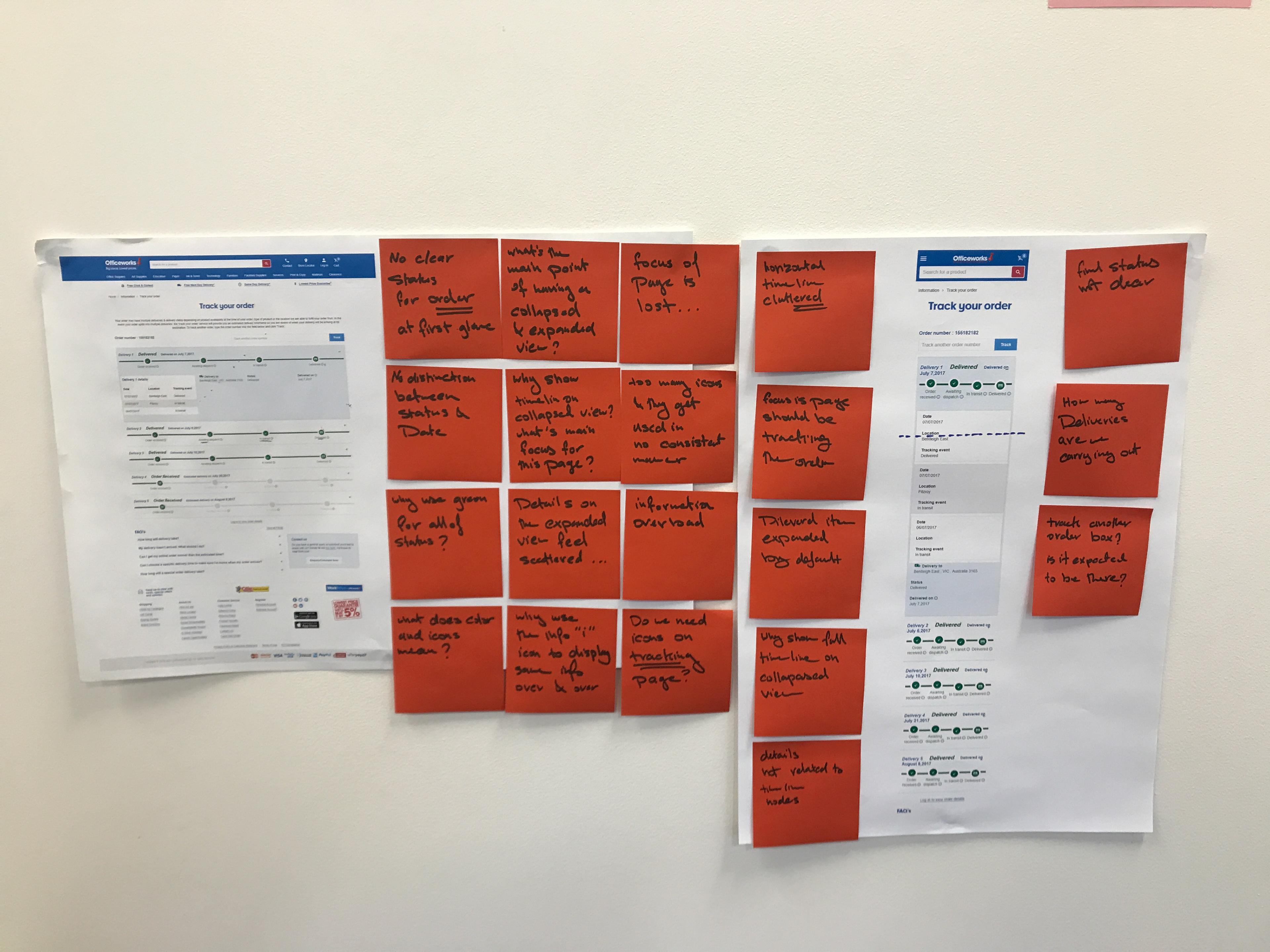
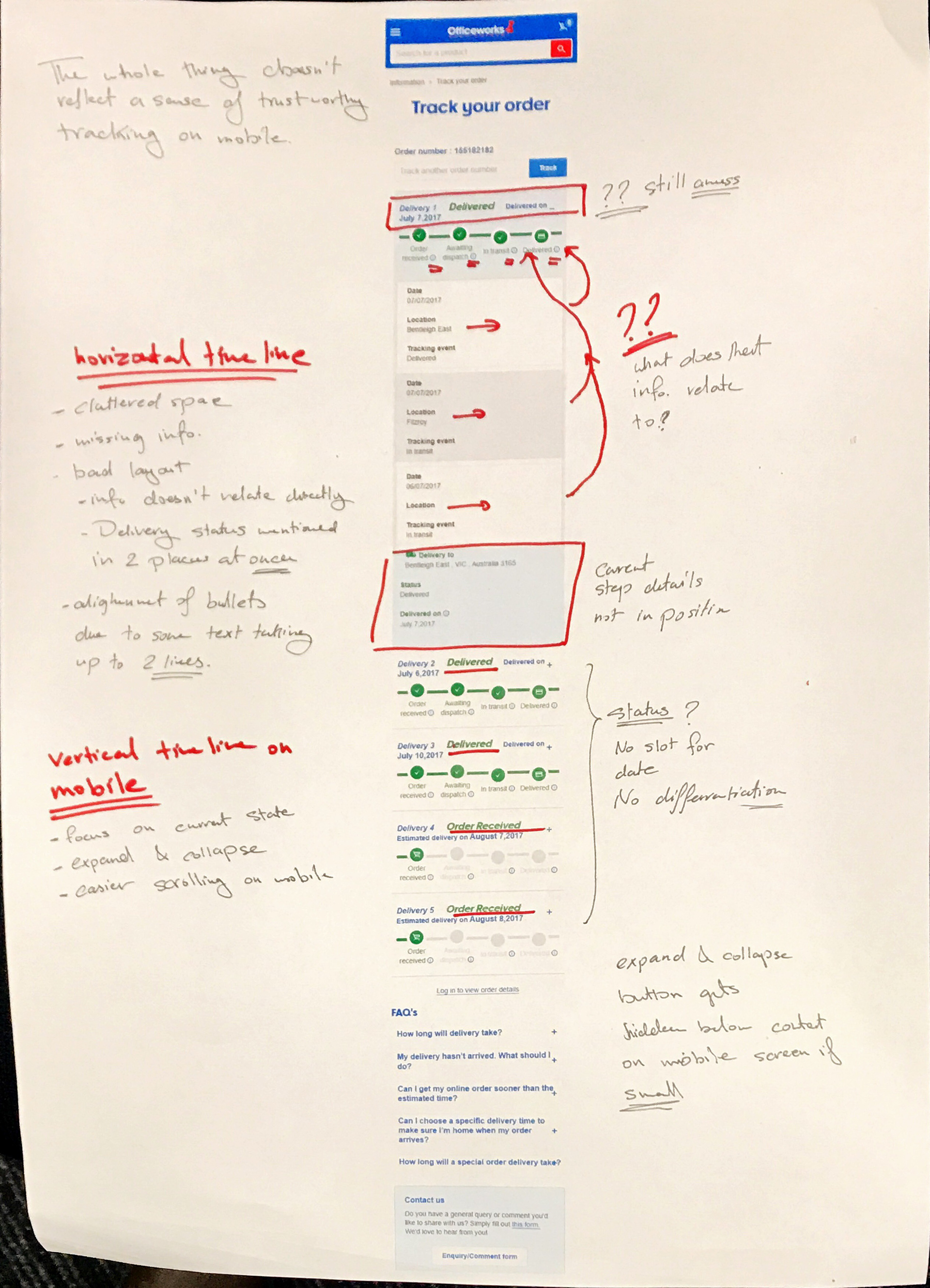
I started by tracing the current journey, defining the user personas (business vs personal shopper), and tracing their interests and feedback on the current journey through direct user feedback from customer support centre calls and online survey feedback.

Sketches and Wireframes
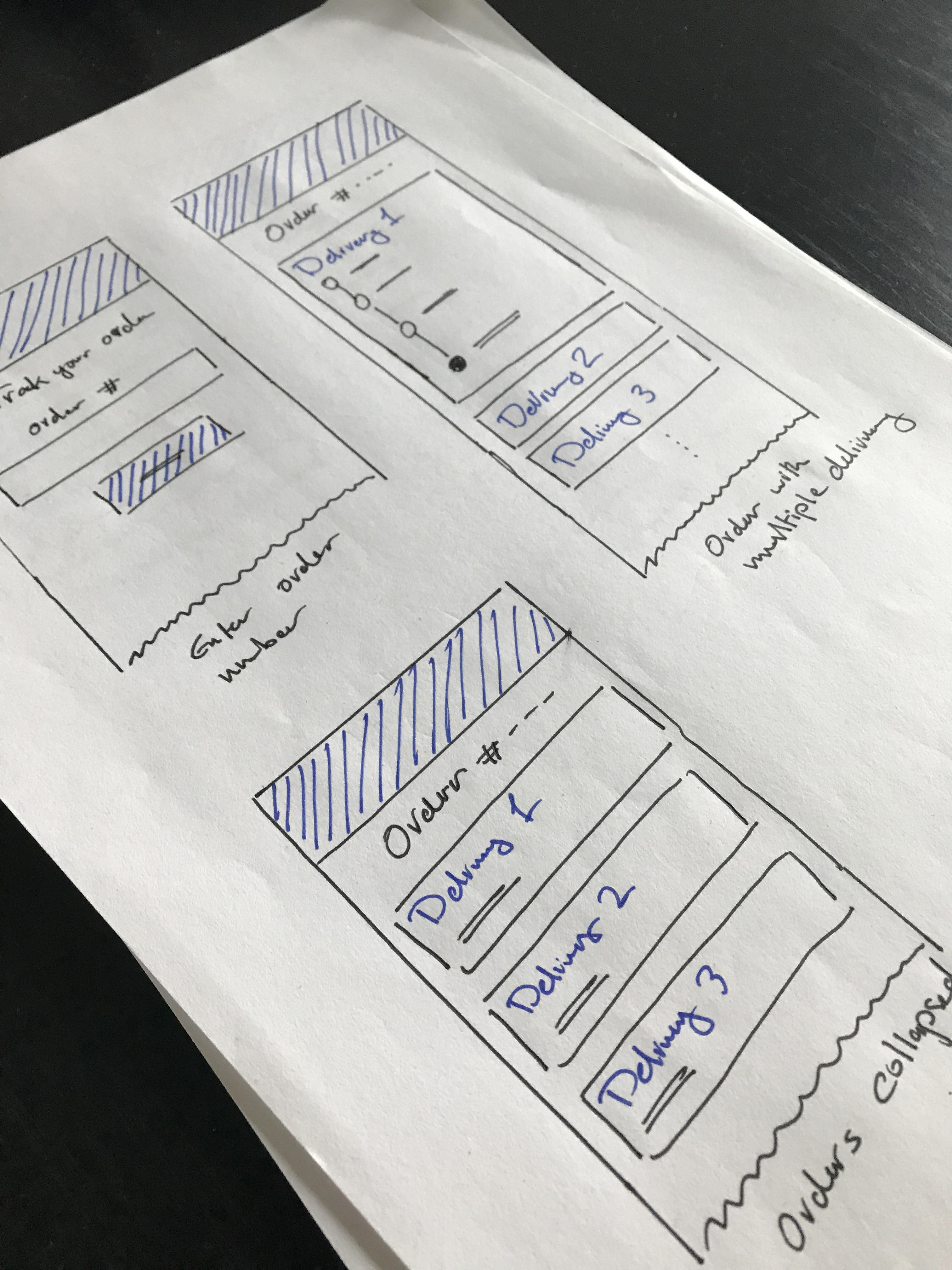
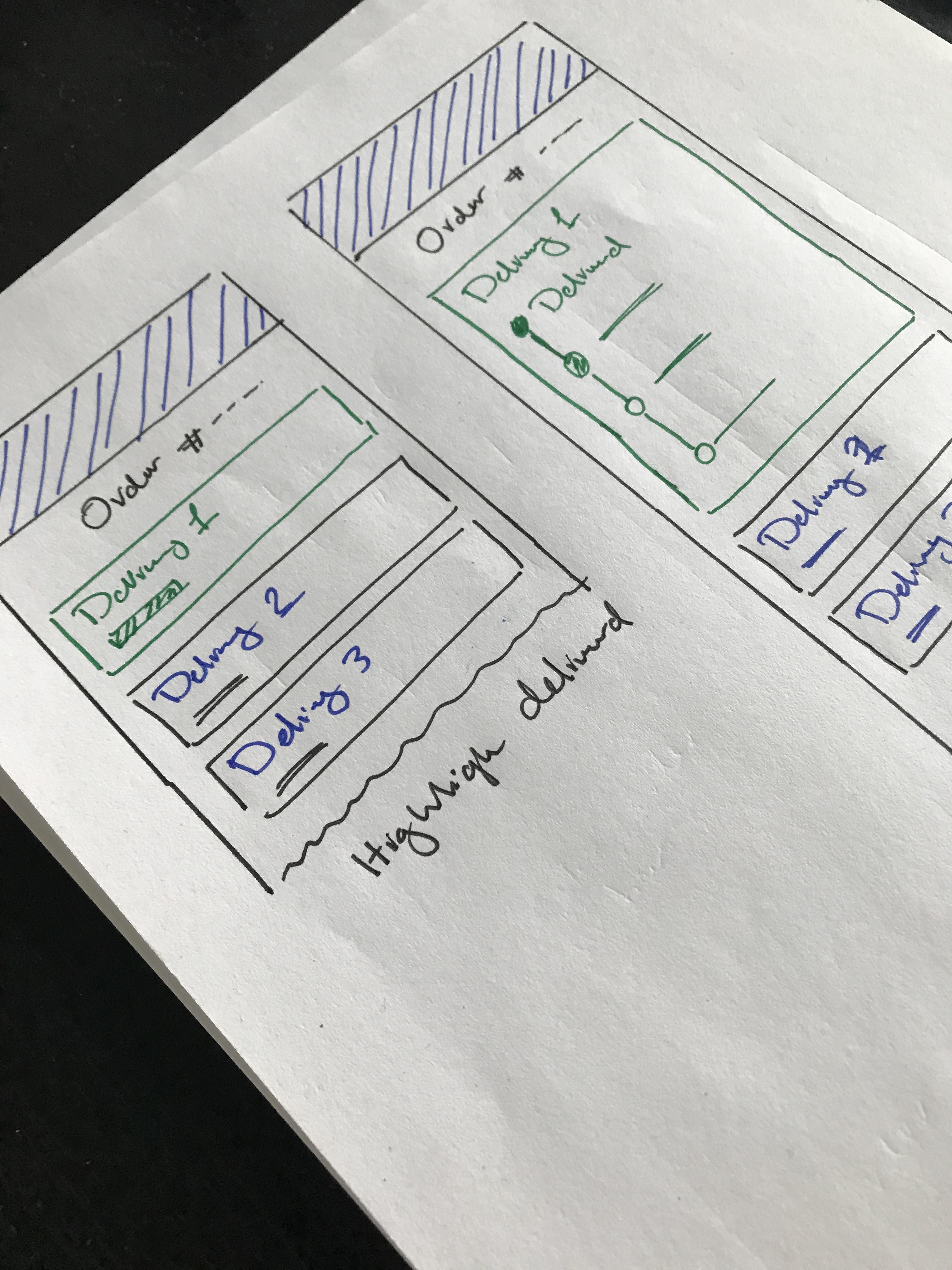
After defining a high-level flow and what steps and screens are needed, I started creating the sketches and wireframes to explore the experience in more detail on a screen-by-screen level. Using pen and paper helped me try multiple ideas quickly to get quick feedback on them.
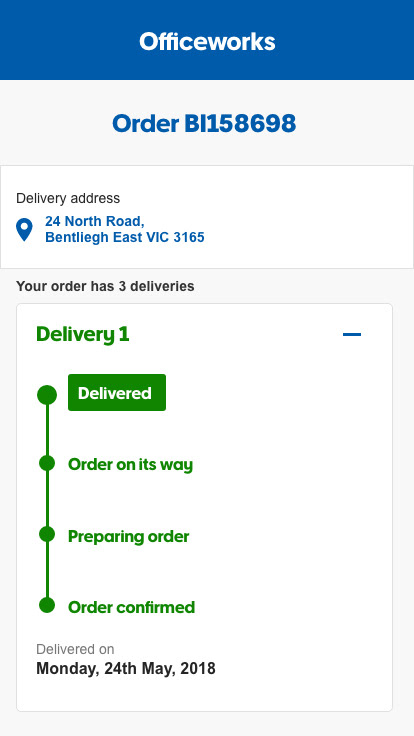
After being comfortable with basic screens and steps, I moved to Adobe XD to create the digital wireframes. It was important to focus on the order delivery life cycle and how this data is presented.


Visual Designs
Working on the designs, I had to take the Officeworks brand colours and font styles into consideration. The designs were for the mobile interface for both the web and the app.




Outcome
The project launched in 2019 to great feedback from both the business and the customers. After the project launch, the number of calls to the support centre regarding order-related issues has dropped significantly.
Tools Used: Sketch • Askable • Axure RP • Prototyping • Journey Mapping • Heuristic Evaluation • Agile Collaboration • Design Systems • Miro