
Reliance™ Interactive Sales Kit
Mobile/Tablet App UX
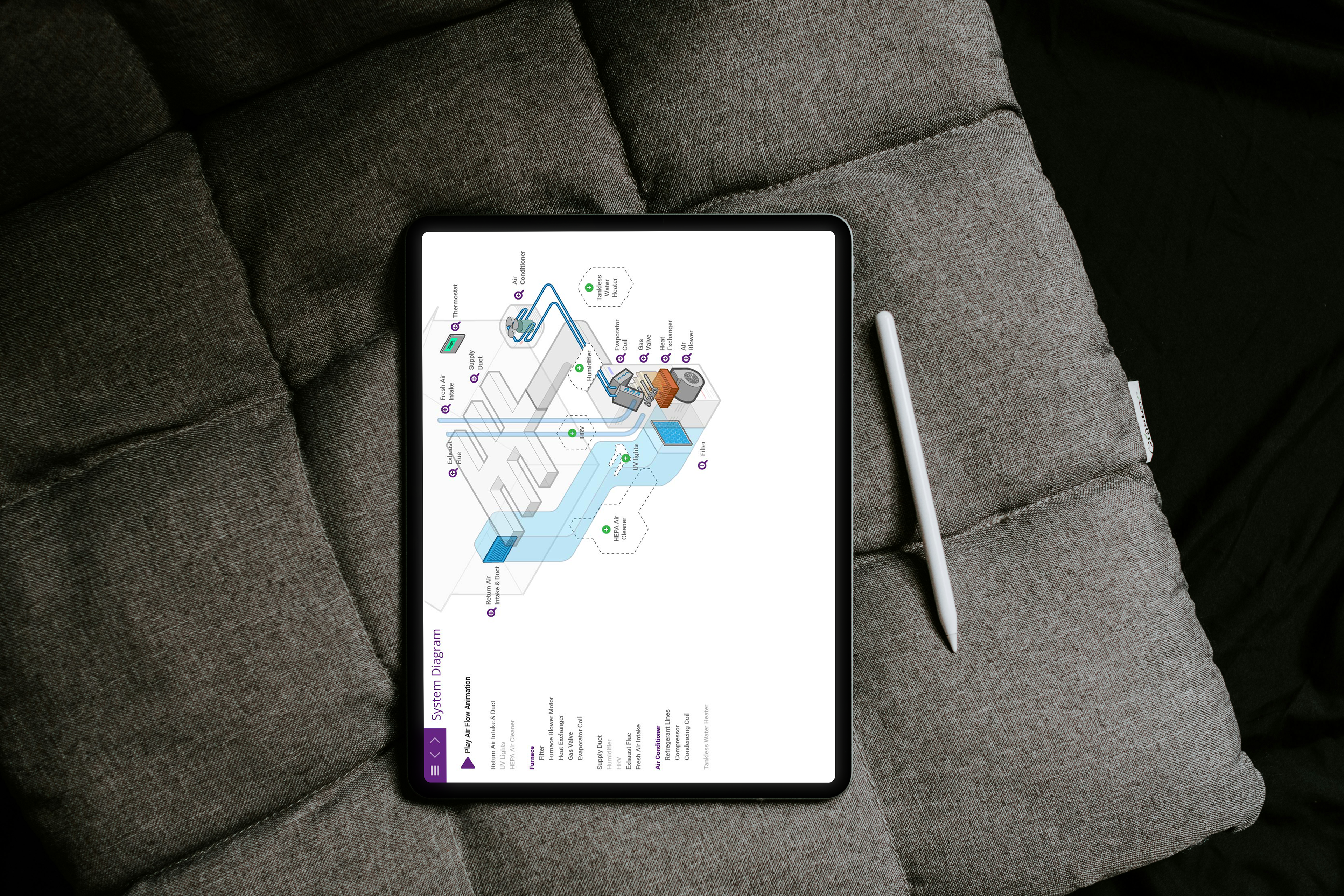
Summary
Mission
Reliance, a Canadian home heating and cooling provider for over 50 years, relied on paper brochures, diagrams, and spreadsheets for sales—an inefficient, hard-to-manage process that made updates difficult. This project aimed to design a tablet sales app to streamline the workflow, enhance interactivity, and enable reps to communicate more effectively with clients.
Contribution
This started as a project to streamline Reliance’s paper-based sales process but quickly became a full-scale engagement to design and launch their tablet sales app. As the lead designer, I clarified ambiguous requirements through extensive client meetings, ran multiple stakeholder workshops to align goals, and designed the MVP using client-provided materials. I delivered fast, interactive functionality, working closely with developers to ensure smooth implementation. The app increased sales by 40%, cut sales process time by 60%, and received strong praise from users.
Impact
The tablet sales app transformed Reliance’s sales process—cutting sales preparation time by 60%, increasing overall sales by 40%, and improving alignment between sales reps and clients.
Designing the System
When I joined the project, it was already behind schedule and the requirements were unclear. I began by working closely with the client team to understand their existing paper-based sales process and the constraints sales reps faced in the field. A key challenge was translating a heavily form-driven, manual workflow into a digital, interactive experience without overwhelming users or disrupting familiar habits.
Defining the App Structure & User Flows
With clarity on the problem space, I focused on defining the information architecture and designing new user journeys. Special attention was given to the transition from the “old world” of printed documents and spreadsheets to a tablet-first experience that felt intuitive and efficient. I explored multiple flow variations to ensure the app supported real sales conversations rather than forcing reps into rigid steps.
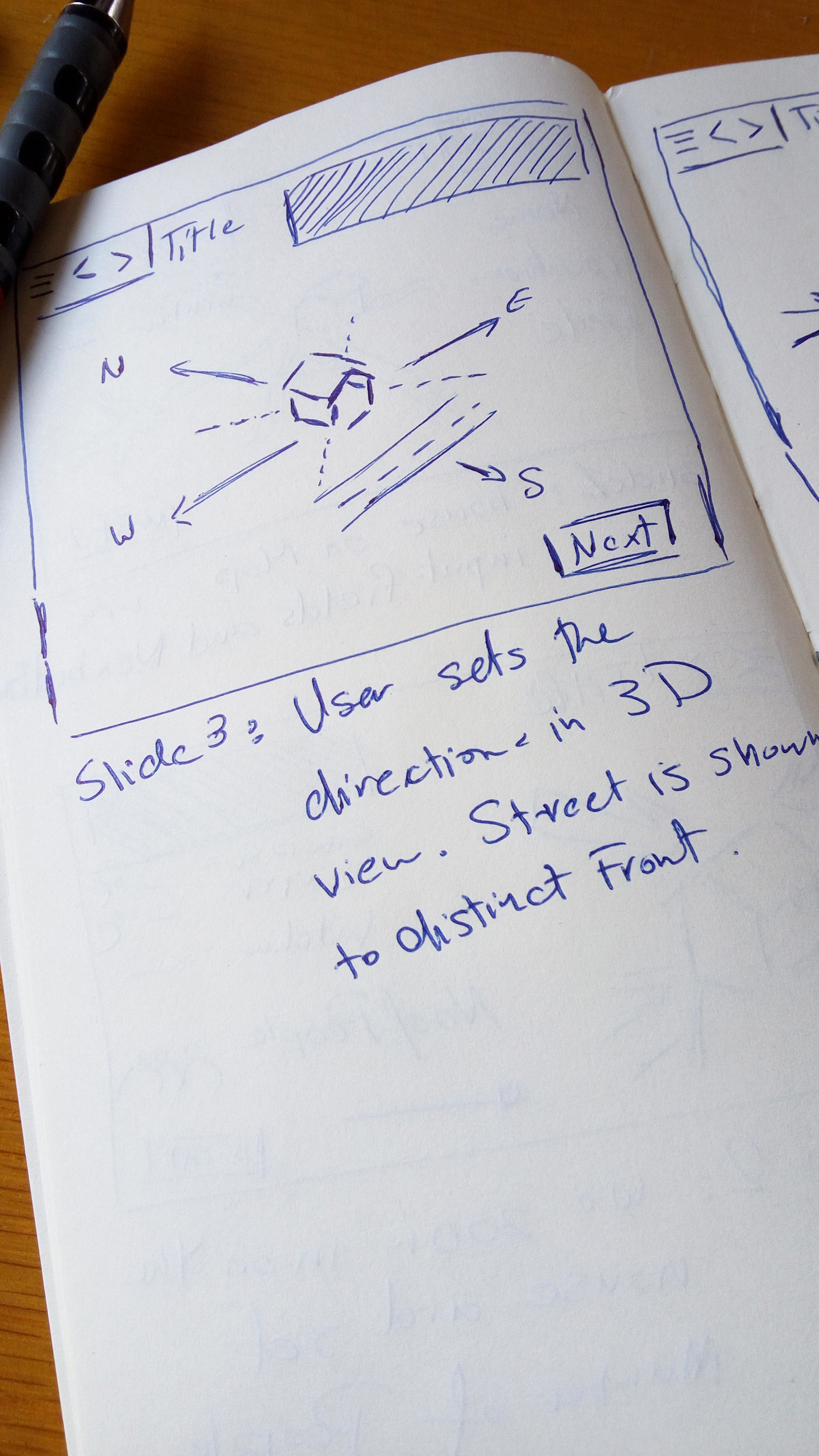
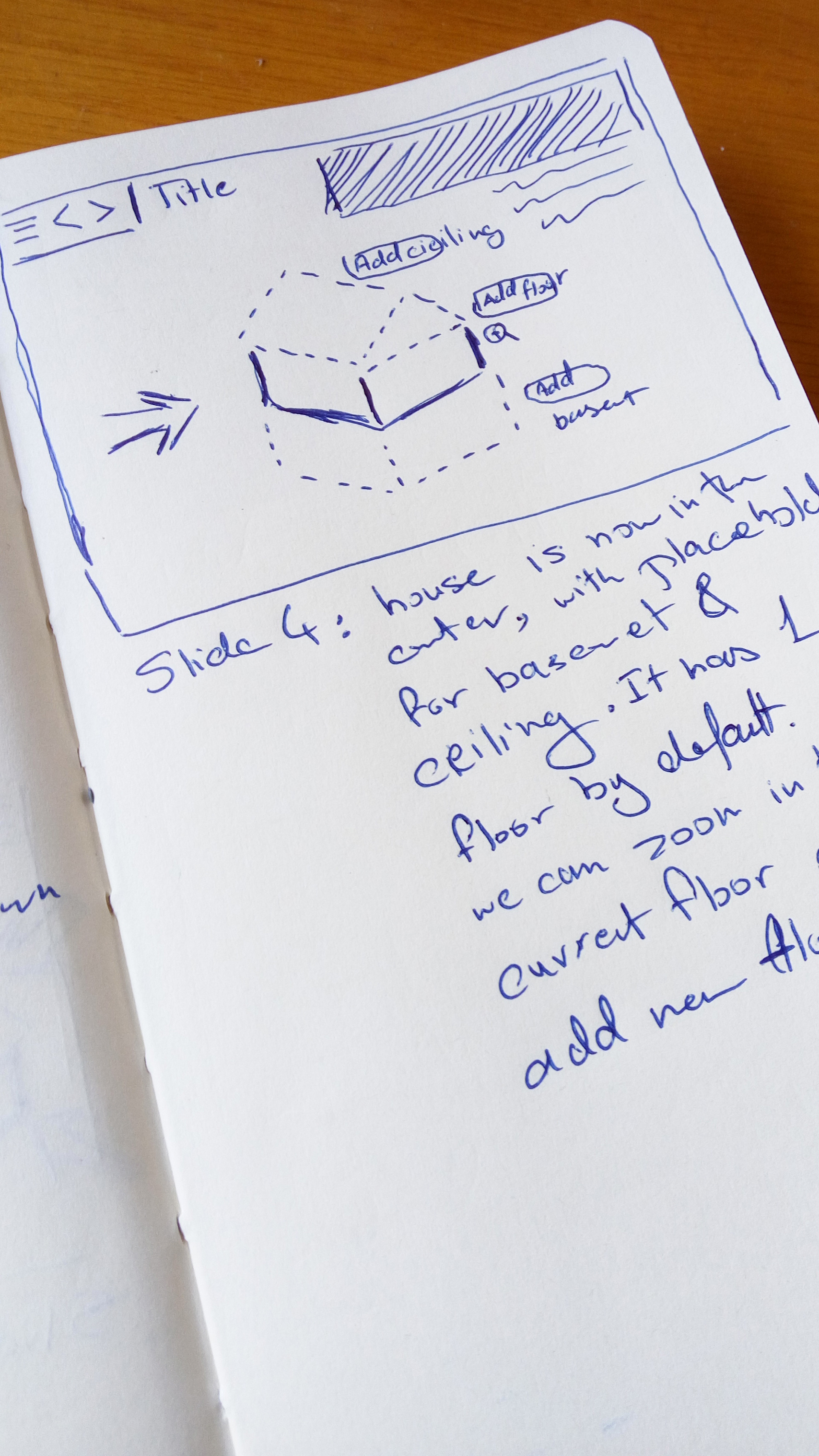

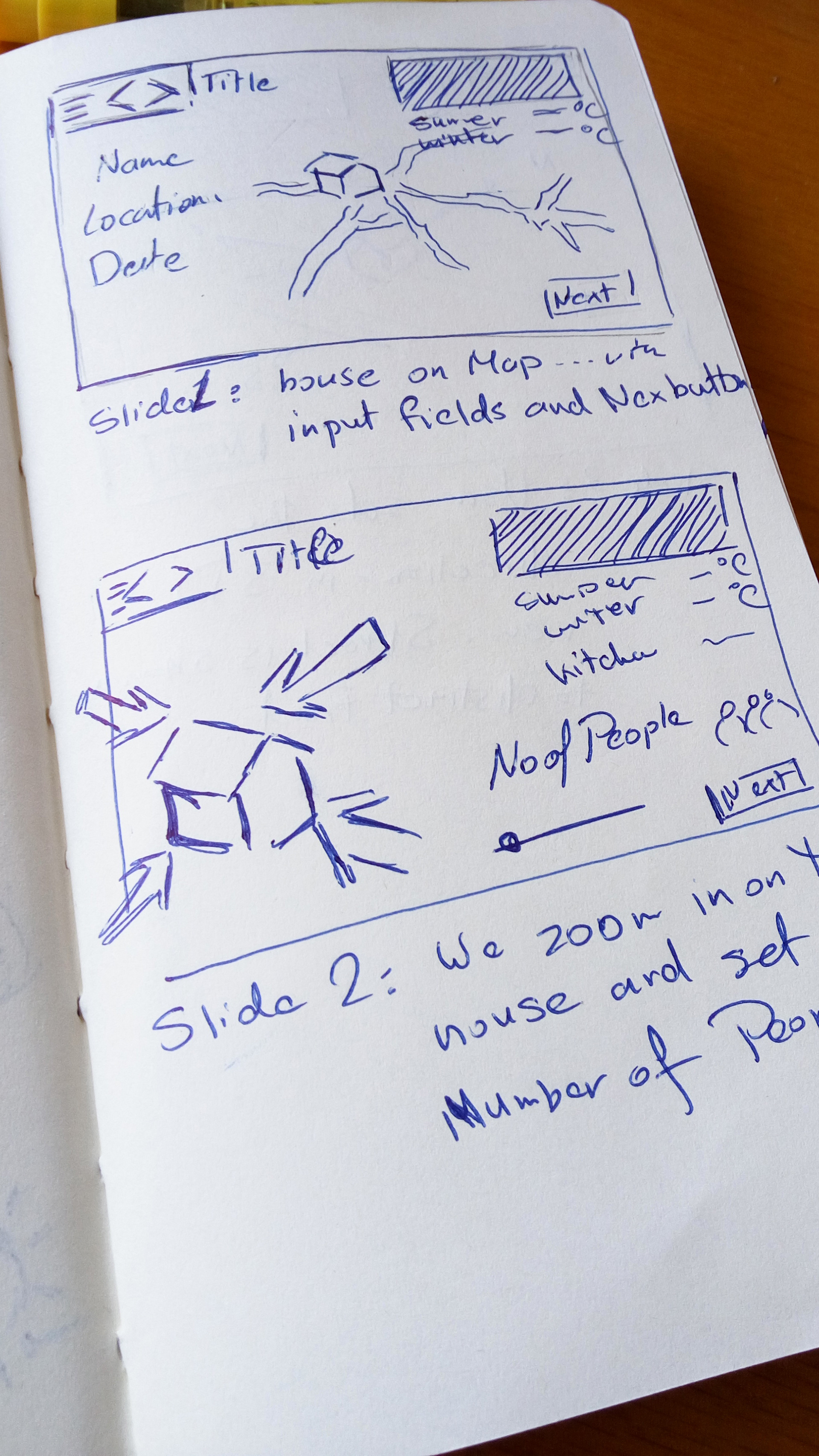
High-Level Sketches
Once the flows were established, I moved into high-level sketches to further flesh out the experience. These sketches helped validate assumptions early, align stakeholders around a shared vision, and quickly communicate how the app would function before investing time in detailed design.
Wireframes & Validation
I translated the concepts into wireframes to align stakeholders and the technical team, identify technical dependencies, and test the experience end to end with sales reps. This allowed us to refine flows and interactions early, ensuring the product was ready for implementation.
Detailed Design & Implementation
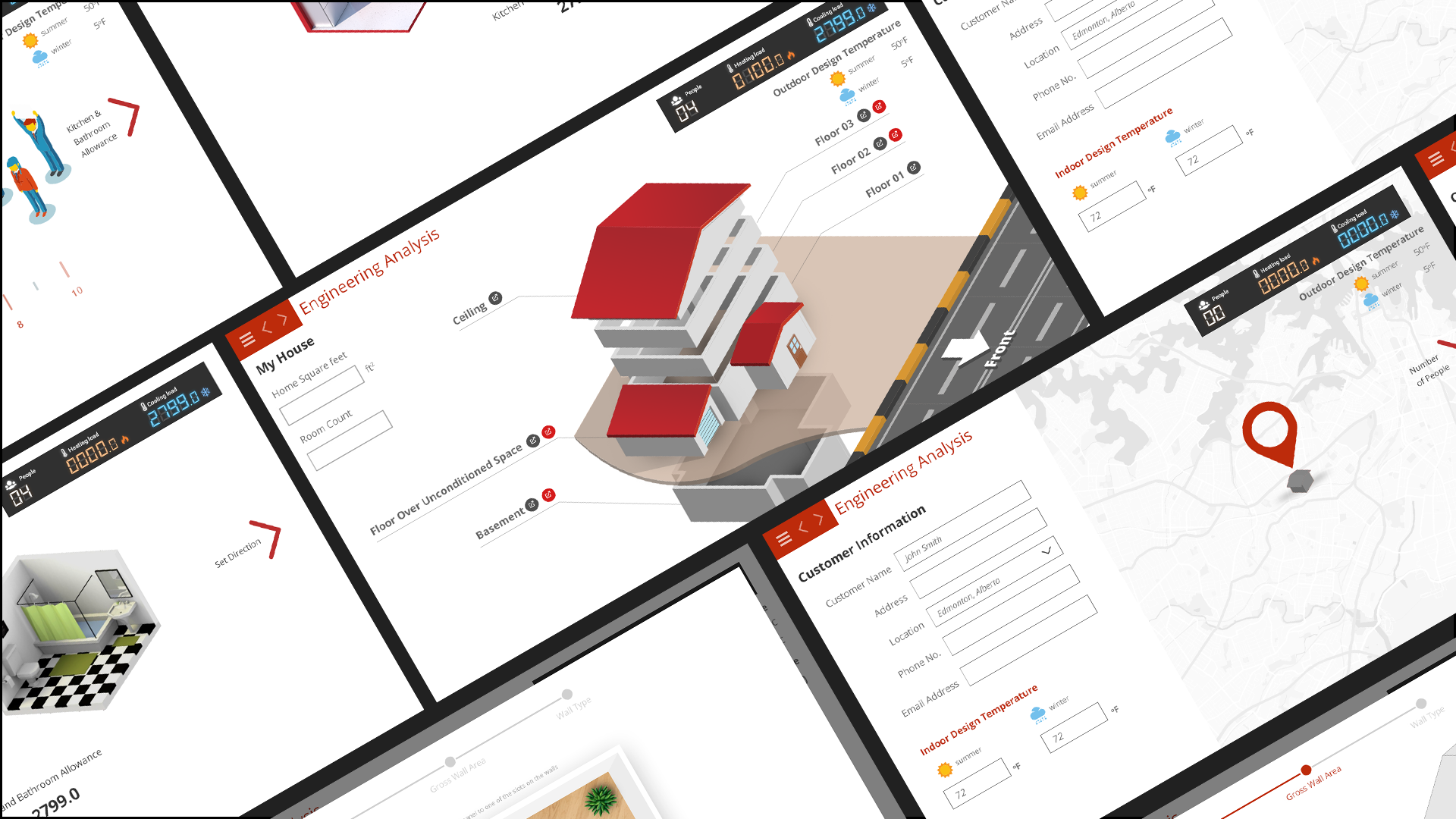
With the core flows validated, I moved into detailed UI design, creating development-ready screens and interaction states. I worked closely with the engineering team throughout implementation to ensure designs translated accurately into the final product.
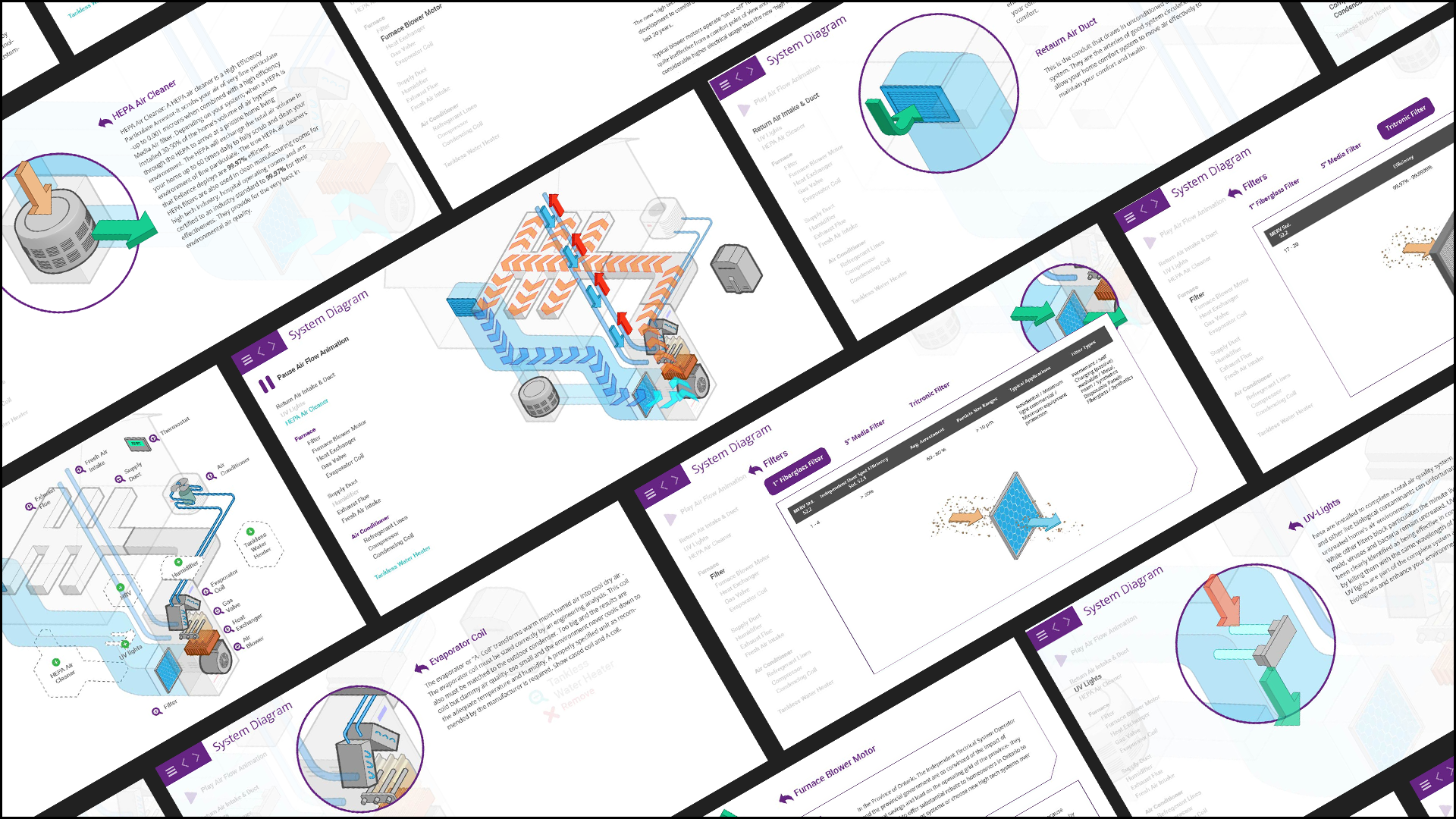
To support complex system explanations during sales conversations, I created custom animations in After Effects—based on client input—to visually demonstrate how different heating and cooling systems worked. These animations added clarity and interactivity, helping sales reps communicate value more effectively and making technical concepts easier for customers to understand.
The final product delivered measurable gains in efficiency and sales while being enthusiastically adopted by sales reps—validating both the design approach and the execution.
Tools Used: Adobe Illustrator • Adobe Photoshop • Adobe XD • Prototyping • Journey Mapping • Heuristic Evaluation • Agile Collaboration